

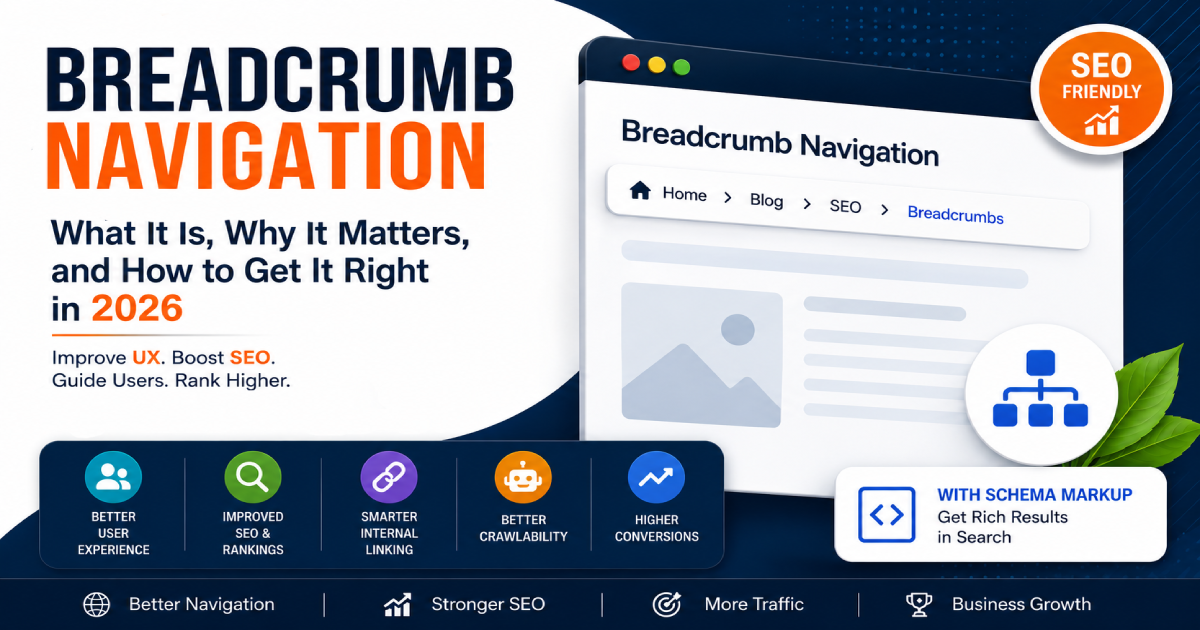
You’ve probably seen it a thousand times without really thinking about it—that little trail of links sitting near the top of a webpage: Home > Blog > SEO > This Article, quietly doing its job. That trail is called breadcrumb navigation, and it’s one of those small details that makes a surprisingly big difference for both your users and your search rankings.
I’m Zohanuddin Shaikh, an SEO consultant based in Karachi, Pakistan, with 8 years of experience. In my work, breadcrumbs are one of the most underrated SEO and UX elements—simple to implement, yet they improve site structure, user navigation, and how search engines understand your content all at once.
In this guide, we’ll break down everything you need to know about breadcrumb navigation: what it actually is, the different types, why Google values it, how real businesses use it, and how to set it up correctly on your own website. Whether you run a small blog or a large e-commerce store, this is one element you don’t want to ignore.
What Is Breadcrumb Navigation?
Breadcrumb navigation is a secondary navigation element that shows users their current location within a website’s hierarchy and provides clickable links back to each previous level.
The term comes from the fairy tale of Hansel and Gretel, where the children dropped breadcrumbs along the path to find their way back home. In web design, breadcrumb navigation works the same way — it shows users exactly where they are on a website and gives them a clear path back to any previous level.
A typical breadcrumb looks like this:
Home > Electronics > Laptops > Gaming Laptops > ASUS ROG Zephyrus
Each part of that trail is a clickable link, except the last one (the current page). With one click, users can jump back to any category they passed through. It’s simple and clean and incredibly useful—especially on websites with a lot of content or products.
The Main Types of Breadcrumb Navigation
Not all breadcrumbs work the same way. There are three main types (plus a common variation), each suited to different kinds of websites.
Location-Based Breadcrumbs
This is the most common type. They show the user’s current position within the website’s structure—like a map of the site where you always know which floor you’re on and which room you’re in. Most blogs, news sites, and large content websites use this type.
Example: Home > Digital Marketing > SEO > Breadcrumb Navigation
Attribute-Based Breadcrumbs
These are popular on e-commerce websites where products belong to multiple categories or have attributes like size, color, or brand. Instead of showing a strict hierarchy, they reflect the filters or attributes a user selected to find a product.
Example: Home > Women’s Shoes > Running > Size 7 > Nike
History-Based Breadcrumbs
These track the path a user actually took to reach the current page—similar to a browser’s back button. While they seem useful in theory, they’re not great for SEO because the path changes for every user. Most SEO experts recommend location-based or attribute-based breadcrumbs instead.
Breadcrumb Types at a Glance
Here’s a quick comparison to help you decide which type fits your website best.
Type |
Description |
Example |
Best For |
SEO Impact |
|
Location-Based |
Shows the page’s position in the site hierarchy | Home > Blog > SEO > Breadcrumb Navigation | E-commerce, news sites, large blogs | Very High |
|
Attribute-Based |
Displays product attributes/filters | Home > Shoes > Running > Size 10 > Blue | E-commerce product pages |
High |
| History-Based | Shows the user’s navigation path | Home > Search Results > Category > Product | Search-heavy sites |
Low (not recommended) |
| Path-Based | Combines location + steps taken | Home > Electronics > Laptops > Gaming > Dell G15 | Deep category structures |
Very High |
For most websites, location-based breadcrumbs deliver the strongest combination of user value and SEO benefit. E-commerce sites with complex catalogs often benefit from attribute-based trails.
Why Breadcrumb Navigation Improves User Experience
Let’s be honest — most users don’t read websites the way you intend. They land on a blog post from Google, skim it, and then wonder what else your site offers. Without breadcrumb navigation, that curiosity often ends with the back button. With it, they can explore further in seconds.
Reduces User Frustration
Nobody likes feeling lost on a website. A breadcrumb trail gives users a constant sense of orientation. They always know where they are, how deep into the site they’ve gone, and how to get back—without hitting the back button ten times.
Encourages Deeper Browsing
When someone lands on a product page and sees a breadcrumb like Home > Electronics > Cameras > DSLRs > Canon EOS R50, they might click “DSLRs” to compare other cameras or “Cameras” to browse a wider selection. That one breadcrumb trail can keep a visitor on your site much longer, which improves engagement signals.
Improves Mobile Navigation
On mobile devices, navigating complex websites can be painful. Breadcrumbs give mobile users a fast way to move back up the content hierarchy without relying on hamburger menus or back gestures. This is especially valuable for e-commerce and mobile-first websites.
Breadcrumb Navigation and SEO: Why Google Cares
Here’s where things get really interesting for website owners. Breadcrumb navigation isn’t just a UX nicety — it directly affects how Google understands and displays your website in search results.
SEO Benefit |
What It Does |
|
Cleaner search listings |
Google replaces the URL with a readable breadcrumb trail |
|
Better site understanding |
Helps Google map your content hierarchy |
| Topical authority |
Links articles into clear content clusters |
| Higher CTR |
Clean trails look more trustworthy than long URLs |
Google Shows Breadcrumbs in Search Results
One of the biggest SEO wins is that Google replaces the long, ugly URL in search results with a clean breadcrumb trail. Instead of showing www.yoursite.com/category/subcategory/article-slug-123, Google may show Home > Category > Article. This looks more trustworthy and readable, which can improve your click-through rate.
Helps Google Understand Your Site Structure
Search engines use breadcrumbs to figure out how your content is organized. When Google can clearly see that your article belongs under Digital Marketing > SEO > Technical SEO, it gets a much better picture of your website’s topical authority. This can help you rank better for related keywords across your entire content cluster. For more, see my internal linking SEO guide.
Breadcrumb Schema Markup: Making It Official
To get the maximum SEO benefit, you should implement breadcrumb schema markup (structured data). This tells Google explicitly what your breadcrumb trail looks like, so it can confidently display it in search results. Without schema markup, Google might still detect and show breadcrumbs, but the structured data makes it reliable and consistent.
A basic breadcrumb schema in JSON-LD looks like this:
json
{ “@context”: “https://schema.org”, “@type”: “BreadcrumbList”, “itemListElement”: [ {“@type”: “ListItem”, “position”: 1, “name”: “Home”, “item”: “https://example.com”}, {“@type”: “ListItem”, “position”: 2, “name”: “SEO”, “item”: “https://example.com/seo”}, {“@type”: “ListItem”, “position”: 3, “name”: “Breadcrumb Navigation”} ]}
Notice the last item has no “item” URL — because it’s the current page, it isn’t linked. After adding schema, always validate it with Google’s Rich Results Test to confirm it’s read correctly.
Real-World Examples of Breadcrumb Navigation Done Right
Seeing how established sites use breadcrumbs makes the value concrete.
Amazon — The E-Commerce Standard
Amazon is probably the best example of breadcrumb navigation done right. Browse to a product like a wireless keyboard, and the breadcrumb reads: Home > Computers & Accessories > Keyboards, Mice & Accessories > Keyboards > Wireless Keyboards. This hierarchy makes total sense. Users can jump to any level instantly, and Amazon benefits from Google understanding exactly where each product sits in their massive catalog.
Wikipedia — Keeping It Simple
Wikipedia uses a subtle but effective category system. At the bottom of every article, you’ll find links to the categories that article belongs to—essentially a breadcrumb trail in reverse. It keeps the reading experience clean while still giving users and search engines a way to navigate the knowledge hierarchy.
IKEA — Attribute Breadcrumbs in Action
IKEA’s website uses attribute-based breadcrumbs brilliantly. Land on a specific sofa, and the trail might read: Home > Sofas & Armchairs > 3-Seat Sofas > KIVIK Series. This makes it easy to browse the entire sofa category or zoom out to all seating options. For a retailer with thousands of products, this navigation is essential.
Content Sites — The Topical Authority Angle
On a content-focused blog, breadcrumb navigation helps readers who land on a specific article understand the broader context. If someone reads an article about a technical SEO topic, a breadcrumb showing Home > Digital Marketing > Technical SEO instantly tells them there’s more related content to explore. It also helps Google link that article to the site’s broader content cluster, boosting topical authority. For more on this, see my topical authority guide.
How to Add Breadcrumb Navigation to Your Website
The setup process depends on your platform, but it’s straightforward in every case.
WordPress Users
If you use WordPress with Yoast SEO or Rank Math, you’re in luck. Both plugins have built-in breadcrumb functionality. You enable it in the plugin settings and add a short PHP snippet to your theme template. Both plugins also automatically add the breadcrumb schema markup, so Google gets the structured data it needs without extra work.
Custom Websites
For websites built without a CMS, you’ll need to:
- Build the breadcrumb trail dynamically based on the URL structure or page hierarchy
- Style it with CSS to match your design (most breadcrumbs use a simple > or / separator)
- Add JSON-LD breadcrumb schema markup in the page’s <head> section
- Test it using Google’s Rich Results Test tool to confirm Google can read it correctly
Shopify and Other E-Commerce Platforms
Most modern e-commerce platforms like Shopify include breadcrumb navigation in their default themes. If yours doesn’t show it, enable it through the theme editor or by editing the template files. Make sure your collection hierarchy is set up properly first—otherwise the breadcrumbs won’t reflect your actual product categories.
Best Practices for Breadcrumb Navigation in 2026
Follow these guidelines to get the full UX and SEO benefit.
Best Practice |
Why It Matters |
|
Place at the top |
Just below the main navigation, where users expect it |
|
Make levels clickable |
Every level except the current page should be a link |
|
Use descriptive labels |
Avoid vague terms like “Page 1” or “Category.” |
|
Always add schema markup |
Enables breadcrumbs in search results |
| Size for mobile taps |
Links at least 44px tall for comfortable tapping |
| Avoid history-based trails |
They confuse both users and search engines |
| Keep it consistent |
Apply across the whole site, not just some pages |
| Test regularly |
Catch structured data errors in Search Console |
The two highest-impact practices: always add schema markup (so breadcrumbs appear in search results), and keep the trail consistent across your entire site (so Google gets reliable structure signals).
FAQs
1. Do breadcrumbs actually help with Google rankings?
Breadcrumbs aren’t a direct ranking factor in the traditional sense, but they help Google understand your site structure, which indirectly supports rankings. More importantly, breadcrumbs in search results (replacing the URL) can improve your click-through rate, and CTR influences rankings over time. So yes, they help — just not through a straight-line formula.
2. Should every page on my website have a breadcrumb?
Your homepage doesn’t need one (it’s already the root). Every other page — blog posts, product pages, category pages — should have a breadcrumb. The more content you have, the more valuable breadcrumbs become, both for users and for Google’s ability to crawl and understand your site.
3. What separator should I use between breadcrumb levels?
The most common separators are the greater-than sign (>), a forward slash (/), or a small arrow. Google recommends using a visual separator and specifying the current page as non-linked text. Keep it simple and consistent with your site’s design. The separator itself doesn’t affect SEO.
4. Can breadcrumbs hurt my SEO?
Poorly implemented breadcrumbs can cause issues. If your breadcrumb schema has errors, Google may ignore it entirely. If your breadcrumb trail doesn’t match your actual URL structure, it can confuse search engines. History-based breadcrumbs that change per user can also create inconsistencies. Stick with location-based breadcrumbs and validate your schema regularly.
5. Do breadcrumbs work for blogs with a flat structure?
If your website only has two levels — homepage and individual posts — breadcrumbs add very little value. They become powerful when you have at least three levels of hierarchy: category pages, subcategory pages, and individual content or product pages. If your site is currently flat, consider building out a proper category structure first, then add breadcrumbs.
6. Is breadcrumb navigation the same as internal linking?
They’re related but different. Internal linking is a broader strategy of connecting pages through hyperlinks within your content. Breadcrumb navigation is a specific navigational element that reflects your site’s hierarchy. Breadcrumbs do contribute to your internal linking profile, but they work alongside — not instead of — a proper internal linking strategy.
7. Does the breadcrumb schema guarantee it appears in search results?
No, schema markup makes breadcrumbs eligible to appear, but Google decides whether to display them. Correct, validated schema significantly improves the chances. Even when Google doesn’t show the breadcrumb trail visually, the structured data still helps it understand your site hierarchy—so it’s always worth implementing correctly.
8. Where should breadcrumbs appear on the page?
Breadcrumbs should appear near the top of the page, just below the main navigation bar and above the page’s main heading. This is where users instinctively look for orientation cues. Placing them consistently in this position across every page creates a predictable experience that both users and search engines can rely on.
Final Thoughts
Breadcrumb navigation is one of those features that sits quietly in the background yet does an enormous amount of work. It keeps users oriented, makes your website easier to explore, reduces bounce rates, and gives Google a clearer map of how your content is organized. For any website with multiple levels of content—a blog, an online store, or a news publication—breadcrumbs aren’t optional. They’re essential.
The good news is that setting up breadcrumb navigation correctly isn’t complicated. Whether you use WordPress, Shopify, or a custom-built site, the tools and plugins to implement it are widely available. The real advantage comes from also adding breadcrumb schema markup, which makes your breadcrumbs visible in Google search results and gives your listings a more polished, trustworthy appearance.
In my experience, breadcrumbs are exactly the kind of small, structural improvement that compounds over time. They don’t produce dramatic overnight results, but they steadily strengthen both user experience and site structure—the two things modern SEO rewards most. If your website doesn’t have breadcrumb navigation yet, now is the time to add it.
For questions about implementing breadcrumbs or site structure on your own site, feel free to reach out through my Contact page.
For more SEO guides, browse Search Engine Realm.
Last Updated: July 2026