

One of the most overlooked aspects of technical optimization is crawl budget SEO. An improperly managed crawl budget can waste search engine resources, making it harder for important pages to get crawled, indexed, and ranked efficiently.
I’m Zohanuddin Shaikh, an SEO consultant based in Karachi, Pakistan, with 8 years of experience. In my work, crawl budget problems rarely affect small sites immediately, so they’re often overlooked. But once a site has hundreds or thousands of URLs, crawling becomes a real challenge. Search engines have limited resources, and how they allocate those resources to your site directly affects its visibility.
This guide examines what crawl budget is, why it gets wasted, how it affects SEO performance, and how to manage it safely while maintaining long-term search trust.
What Is Crawl Budget in SEO?
Crawl budget is the number of URLs a search engine can and will crawl on a site within a given period of time. It determines how efficiently search engines discover, process, and index your pages.
Two key factors influence crawl budget:
Factor |
What It Means |
|
Crawl Rate Limit |
How fast a search engine can crawl without overloading your server |
| Crawl Demand |
How search engines rate the value and importance of your URLs |
Search engines prioritize crawling pages that are important, change frequently, and provide genuine value to users. When crawl budget is wasted on low-value URLs, important pages may be crawled less often or take longer to get indexed. The goal isn’t to maximize crawling — it’s to direct it toward the pages that matter.
Why Crawl Budget Matters for SEO
A crawl budget doesn’t directly change rankings, but it significantly affects indexing efficiency—which does influence rankings.
When the crawl budget isn’t used well:
- New pages take longer to be discovered
- Updated content gets re-crawled slowly
- Crawlers spend most of their time on low-value pages
- Important pages may be delayed for extended periods
This creates visibility gaps that are difficult to diagnose, because crawl behavior changes gradually over time. A page might rank perfectly fine and then slowly lose freshness because it’s rarely re-crawled—and the cause isn’t obvious from the surface. For the broader technical picture, see my technical SEO audit guide.
What Is Crawl Budget Wastage?
Crawl budget wastage is when search engines spend time crawling URLs that don’t help your SEO — instead of crawling the pages that actually matter.
These wasteful URLs typically include:
- Duplicate pages
- Thin-content pages
- Parameter URLs
- Auto-generated archives
- Filtered or sorted variations
Crawl budget wastage usually doesn’t trigger errors. Instead, it quietly reduces crawl efficiency, making SEO performance less reliable over time. This is what makes it so dangerous — nothing looks broken, but your important pages compete for crawl attention with hundreds of worthless URLs.
Common Causes of Crawl Budget Wastage
Understanding what wastes crawl budget is the first step to fixing it. Here are the most common causes.
1. URL Parameters and Filters
Sorting, filtering, and tracking parameters can generate thousands of URL variations — like ?sort=price, ?filter=color, or ?utm_source=newsletter. Although these often show the same content, search engines may still attempt to crawl each one.
2. Internal Search Result Pages
Internal search URLs like /search? Keywords are one of the most common sources of crawl waste. They rarely provide unique value and can multiply endlessly as users search.
3. Tag and Archive Pages
Tags and archives can be useful when curated carefully. But uncontrolled tag creation leads to thin pages, duplicate listings, and low engagement. Search engines may crawl these repeatedly without gaining meaningful signals.
4. Pagination and Faceted Navigation
Pagination combined with filters creates deep URL paths like /category/page/10/ or /category?size=large&page=5. When unmanaged, these consume crawl budget without improving search visibility.
5. Duplicate Content URLs
Duplicate URLs created through HTTP vs HTTPS, WWW vs non-WWW, trailing slashes, or case sensitivity can split crawl attention and dilute indexing signals across versions of the same page.
Crawl Budget Wastage and Indexing Delays
When crawl budget is wasted, indexing delays become more frequent. Search engines might delay crawling new content, fail to update existing pages, and assign less priority to deeper pages.
You can often spot this in Google Search Console as the following:
- New posts taking a long time to get indexed
- Fluctuating numbers of indexed pages
- Important pages stuck in “Discovered – currently not indexed”
In many cases, crawl budget inefficiency is the underlying cause of these indexing problems—not content quality. This connects closely to JavaScript rendering and internal linking; see my JavaScript rendering guide for a related cause of indexing delays.
How Crawl Budget Wastage Affects Large Websites
As a site grows, crawl budget problems get worse. Large sites typically deal with:
Challenge |
Impact on Crawl Budget |
|
Thousands of low-value URLs |
Crawlers spend time on noise |
|
Complex navigation structures |
Deep paths waste crawl resources |
| Automatic URL generation |
Endless variations multiply |
| Outdated content |
Old pages consume crawl attention |
Without proper controls, search engines spend more time crawling noise than value. In my experience, optimizing crawl budget on large sites often results in faster indexing and more stable rankings — without changing any content at all. The gain comes purely from directing crawlers toward what matters.
Does Crawl Budget Matter for Small Websites?
For very small sites, crawl budget is less critical — search engines can usually crawl every page without resource constraints.
However, even small sites can waste crawl budget if they:
- Use too many plugins generating extra URLs
- Create excessive tag pages
- Allow parameter indexing
- Generate infinite URL paths
Managing crawl budget early prevents scalability problems later. A 30-page site with a clean structure has nothing to worry about—but a 30-page site generating hundreds of tag, filter, and parameter URLs can still confuse crawlers. Good habits early make growth smoother.
How Search Engines Decide What to Crawl
Search engines prioritize URLs based on several signals:
Signal |
What It Tells Search Engines |
|
Internal link strength |
Which pages you consider important |
|
URL popularity |
Which pages attract attention |
| Update frequency |
Which pages change and need re-crawling |
| Content quality |
Which pages deserve crawl priority |
| Clear canonicals |
Which version of a page to crawl |
Pages with weak signals but many URL variations often consume too much crawl time. Strengthening these signals is how you guide crawlers toward your valuable pages and away from the noise.
Internal Linking and Crawl Budget
Internal linking is critical to how crawl budget is distributed. Poor internal linking can push key pages deeper, over-emphasize low-value URLs, and create crawl traps.
Strong internal linking does the opposite:
- Highlights important pages
- Reduces crawl depth
- Helps bots navigate efficiently
Internal links aren’t just navigation tools — they’re crawl signals. Every link tells search engines something about which pages deserve attention. For a complete process, see my internal linking SEO guide.
Canonicalization and Crawl Budget
There’s a strong connection between canonicalization and crawl budget. When canonical signals are weak, search engines crawl duplicates, ignore canonical hints, and split crawl budget across multiple variations of the same page.
Strong canonicalization helps search engines concentrate crawl activity on your preferred URLs. Best practices include using self-referencing canonicals on primary pages, maintaining consistent internal linking to canonical versions, and keeping sitemaps limited to canonical URLs. Clear canonical signals prevent crawlers from wasting time on duplicate versions.
XML Sitemaps and Crawl Budget
XML sitemaps help search engines navigate, but they don’t increase crawl budget. Their role is guidance, not expansion.
Best practices for sitemaps:
- Include only canonical, indexable URLs
- Remove low-value pages
- Update sitemaps when site structure changes
Sitemaps should focus the crawl budget, not inflate it. Including redirected, non-canonical, or low-value URLs in your sitemap sends crawlers toward pages that waste their time. A clean sitemap is a crawl-efficiency tool.
How to Diagnose Crawl Budget Wastage
A systematic diagnosis reveals where the crawl budget is being wasted.
Method |
What to Check |
|
GSC Crawl Stats |
Total crawl requests, response breakdown, file types crawled |
| URL Inspection patterns |
Which URLs are crawled often but add little value |
| Log file analysis |
What Googlebot actually crawls, how often, and wasted paths |
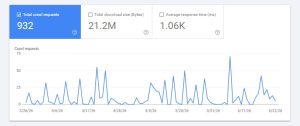
The Crawl Stats report in Google Search Console (Settings → Crawl stats) is the best starting point — it shows total crawl requests and reveals whether crawlers are spending time on low-value URLs. For deeper investigation, log file analysis is one of the most reliable ways to find crawl budget problems, because it shows exactly what Googlebot requests.
How to Fix Crawl Budget Wastage Safely
Step 1: Identify Low-Value URLs
Categorize URLs by type — filters, parameters, tags, search results — and decide which ones genuinely benefit SEO. You can’t fix what you haven’t mapped.
Step 2: Block Crawl Traps Carefully
Use robots.txt cautiously to block internal search pages and endless filters. Never block critical resources like JavaScript or CSS files needed for rendering.
Step 3: Apply Noindex Where Appropriate
Apply noindex to low-value pages that must exist but shouldn’t be indexed. Keep them crawlable so links can still be followed, but signal they don’t belong in the index.
Step 4: Strengthen Canonical Signals
Ensure self-referencing canonicals, consistent internal linking, and clean sitemap URLs. Strong canonicals concentrate crawl attention on preferred pages.
Step 5: Improve Internal Linking Structure
Link clearly to pillar pages, high-value content, and conversion-important pages. This signals to search engines what deserves crawl priority.
Performance, Content Quality, and Crawl Budget
Two often-overlooked factors directly affect crawl budget: server performance and content quality.
Server performance: Slow servers make crawling less efficient. When response times are long or errors are frequent, search engines crawl fewer pages. A fast, reliable server lets search engines crawl more in the same time window.
Content quality: Search engines adjust crawl demand based on perceived value. High-quality, frequently updated pages get crawled more often and receive priority. Low-quality sections gradually lose crawl interest. Improving content quality and freshness naturally increases crawl demand for your important pages.
Common Crawl Budget Myths
|
Myth |
Reality |
|
“Crawl budget affects rankings directly.” |
It affects indexing efficiency, which indirectly affects rankings |
|
“Blocking everything helps SEO.” |
Over-blocking can hide important content |
| “More pages mean more traffic.” |
Quality and crawl efficiency matter more than quantity |
| “Small sites never have crawl problems.” |
Poor URL management can waste crawl budget at any size |
Understanding these myths prevents bad decisions. The most damaging is over-blocking—in an attempt to save crawl budget, some site owners block resources that search engines actually need.
Long-Term Crawl Budget Management
Crawl budget management isn’t a one-time fix — it’s an ongoing discipline. Sustainable best practices include the following:
- Running regular crawl audits
- Controlling URL generation (limit parameters, filters, tags)
- Pruning low-value content
- Maintaining a clear, logical site structure
Sites that actively manage crawl budget grow more efficiently. As your site scales, the habits you build early—clean URLs, controlled URL generation, and strong internal linking—prevent the crawl problems that quietly cripple larger, unmanaged sites.
FAQs
1. What does “crawl budget SEO” mean?
A crawl budget is the number of URLs a search engine can and will crawl on a website within a given period. It’s determined by crawl rate limit (how fast a server can be crawled) and crawl demand (how valuable search engines consider your URLs). An efficient crawl budget means important pages get discovered and indexed faster.
2. Does crawl budget directly affect rankings?
No, crawl budget doesn’t directly affect rankings. However, it significantly impacts how quickly pages get indexed and how easily content is discovered—which indirectly affects rankings. When important pages are crawled slowly or infrequently, their freshness and visibility can suffer over time.
3. Should small websites worry about crawl budget?
Not as much as large sites—search engines can usually crawl small sites completely without resource constraints. However, poor URL management (excessive plugins, tag pages, parameter indexing, or infinite URL paths) can still waste crawl budget even on small sites. Managing it early prevents problems as the site grows.
4. How do I stop wasting crawl budget?
Stop wasting crawl budget by identifying and restricting low-value pages, controlling URL parameters, strengthening internal linking to important pages, and using canonical tags correctly. Block crawl traps like internal search pages carefully via robots.txt, and apply noindex to pages that must exist but shouldn’t be indexed.
5. Should I use robots.txt to block low-value pages?
Only when necessary. Robots.txt blocking prevents crawling but doesn’t remove pages from the index, and over-blocking can hide important resources. Noindex tags and canonical solutions are often safer because they let search engines crawl and understand pages while signaling they shouldn’t be indexed or are duplicates.
6. How do I check my crawl budget in Google Search Console?
Use the Crawl Stats report in Google Search Console (Settings → Crawl stats). It shows total crawl requests, response breakdowns, file types crawled, and crawl trends over time. Look for signs that crawlers are spending time on low-value URLs rather than your important pages—that indicates crawl budget waste.
7. What’s the difference between crawl rate and crawl demand?
The crawl rate limit is how fast a search engine can crawl your site without overloading your server—a technical capacity limit. Crawl demand is how much search engines want to crawl your pages based on their perceived value and update frequency. Together, these determine your effective crawl budget.
8. Can improving crawl budget speed up indexing?
Yes. When crawl budget isn’t wasted on low-value URLs, search engines can focus on your important pages—discovering new content faster and re-crawling updated pages more frequently. In my experience, fixing crawl budget wastage often speeds up indexing noticeably without any changes to the actual content.
Final Thoughts
The goal of crawl budget SEO isn’t to prevent search engines from finding your site — it’s to help them navigate it efficiently. Search engines have limited resources, and how they use them determines which pages they discover, crawl, and index. When they keep scanning low-value or duplicate URLs, they give important pages less attention, potentially reducing their visibility.
In my experience, eliminating crawl budget waste usually delivers significant improvements without updating content or building new links. Sites begin to see search engines index new pages faster, display important sections more consistently, and crawl more steadily over time. Search engines can finally focus on pages that genuinely matter rather than wasting time on unnecessary URLs.
Good crawl budget SEO also benefits your site structure long-term. When a website has fewer parameters, filters, and thin pages, search engines find it easier to read and evaluate. This clarity builds trust and helps search engines decide which content updates and new pages to prioritize.
Modern SEO rewards focus and clarity. Websites that actively manage crawl budget make it clear what search engines should pay attention to. Rather than trying to manipulate search engines, effective crawl budget SEO aligns your site structure with how search engines naturally operate — improving efficiency, scalability, and long-term search visibility.
For questions about diagnosing crawl budget issues on your own site, feel free to reach out through my contact page.
For more SEO guides, browse Search Engine Realm.
Last Updated: June 2026