

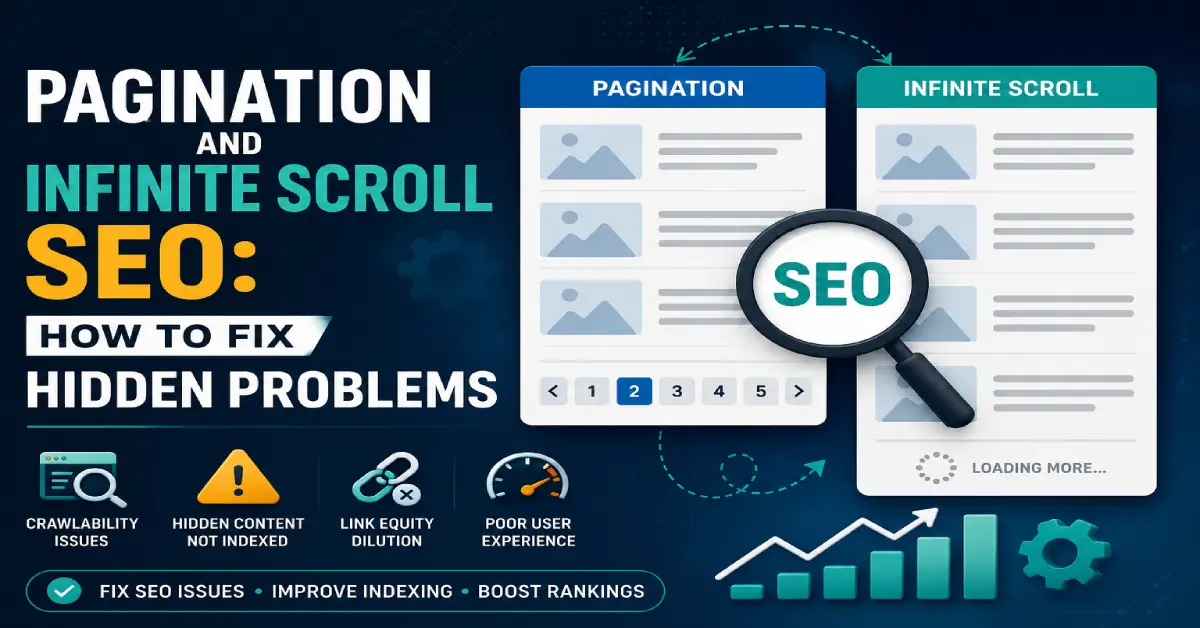
Pagination and infinite scroll are everywhere on modern websites — blogs, e-commerce stores, category pages, and news sites. They improve user experience by breaking large amounts of content into digestible parts or letting users scroll continuously. But when set up incorrectly, they can quietly damage crawlability, indexing, and search visibility.
Many websites struggle with indexing problems, inconsistent rankings, or incomplete content coverage—not because their content is weak, but because search engines can’t easily access paginated or infinitely loaded content.
I’m Zohanuddin Shaikh, an SEO consultant based in Karachi, Pakistan, with 8 years of experience. In my audits, these problems often go undetected because pages seem to work fine for visitors, while search engines struggle behind the scenes. This guide covers how search engines handle pagination and infinite scroll, the most common SEO problems they cause, and how to implement them in a way that supports long-term search performance.
What Is Pagination in SEO?
Pagination is the practice of splitting content across multiple URLs, typically using page numbers—such as /page/2/, /page/3/, and so on.
Common examples include:
- Blog archives (/page/2/, /page/3/)
- Category listings
- E-commerce product lists
- Forum threads
Pagination exists to improve usability, but it introduces multiple URLs that contain similar or overlapping content. This is where SEO complications can begin — search engines have to decide which paginated URLs deserve indexing and how much value each one carries.
What Is Infinite Scroll?
Infinite scroll is a technique that automatically loads more content as visitors scroll down a page, without requiring them to click to a next page.
It’s commonly used on the following:
- Social media feeds
- News websites
- Image galleries
- E-commerce listings
Infinite scroll can increase user engagement, but it often creates SEO problems when search engines can’t discover or index content that loads dynamically. The core issue: if content only appears after a scroll action that a crawler doesn’t perform, that content may never be indexed.
Why Pagination and Infinite Scroll Create SEO Problem
Search engines rely on URLs, links, and structured navigation to discover content. Pagination and infinite scroll can disrupt all three.
Common problems include:
Problem |
Impact |
|---|---|
| Deeper content not found | Pages beyond page 1 never get discovered |
| Duplicate or thin pages | Paginated URLs look low-value |
| Crawl budget waste | Crawlers spend resources on endless URLs |
| Inconsistent linking signals | Authority doesn’t flow logically |
| Indexing unimportant pages | Wrong pages appear in searches. |
As a website grows larger, these problems compound. A site with 10 paginated pages is manageable; a site with thousands of filtered, sorted, paginated combinations can overwhelm crawl budget entirely.
How Search Engines Crawl Paginated Content
Search engines crawl paginated pages just like any other URLs—but complications arise when pagination isn’t structured clearly.
Search engines look for:
- Logical URL patterns
- Internal links between paginated pages
- Clear hierarchy signals
- Distinct value on each page
When pagination is unclear, search engines struggle to determine which pages matter. They may crawl deep paginated URLs inefficiently, index the wrong page, or fail to discover deeper content entirely. The clearer your pagination structure, the easier it is for crawlers to understand and prioritize correctly.
Common Pagination and Infinite Scroll SEO Problems
1. Duplicate Content Across Paginated Pages
Paginated pages often share the same headings, repeated descriptions, and similar product or post listings. This can make search engines treat paginated URLs as low-value duplicates, weakening their indexing potential.
2. Incorrect Canonicalization
A common mistake is canonicalizing all paginated pages to page one. This can prevent deeper pages from being indexed, hide content from search engines, and waste crawl opportunities. Canonical signals should match the actual purpose of pagination—usually, each paginated page should self-canonicalize.
3. Indexing the Wrong Page
Search engines might index page 5 instead of page 1, a deep infinite-scroll state, or filtered pagination links. This creates inconsistent rankings and a poor user experience when someone lands on an unexpected page.
4. Crawl Budget Wastage
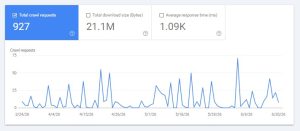
Pagination quickly multiplies URLs. When poorly managed, search engines crawl endless paginated versions, important pages get crawled less often, and low-value URLs consume crawl budget. This is one of the most common SEO problems on large sites.
5. Infinite Scroll Without Crawlable URLs
Pure infinite scroll typically uses JavaScript and doesn’t create distinct URLs. If search engines can’t reach paginated URLs or discover content through links, deeper content may never be indexed at all, regardless of its quality.
6. Internal Linking Gaps
Pagination often weakens internal linking. Deeper pages receive fewer links, infinite scroll hides internal links, and paginated links may go unfollowed. This slows the flow of authority through your site.
Pagination vs Infinite Scroll: SEO Trade-Offs
Both approaches have distinct SEO implications. Here’s a direct comparison.
Feature |
Pagination |
Infinite Scroll |
|---|---|---|
| Crawlability | High (if structured) | Low (if JS-only) |
| Indexing | More predictable | Often inconsistent |
| User Experience | Structured | Seamless |
| SEO Risk | Moderate | High if misused |
| Best For | Content discovery, archives | Engagement-focused feeds |
From an SEO perspective, pagination is generally safer when implemented correctly. Infinite scroll can work for SEO — but only when paired with crawlable paginated URLs behind the scenes (a “hybrid” approach covered below).
Pagination Problems in E-commerce
E-commerce sites face greater pagination risk than most. Common problems include:
- Duplicate products appearing across multiple pages
- Filter-based pagination traps (color, size, price combinations)
- Infinite category scrolls without crawlable URLs
These issues can make products genuinely hard to discover. A product on “page 8” of an infinite scroll with no crawlable URL may never get indexed—meaning it effectively doesn’t exist in search. Controlling filter and sort combinations is critical for e-commerce crawl efficiency. For a deeper diagnostic process, see my technical SEO audit guide.
Pagination Problems in Blogs and News Sites
For content-heavy sites, pagination creates specific challenges:
- Older articles may never be crawled if buried in deep pagination
- Deep pagination hides evergreen content
- Infinite scroll makes archives hard to access
Search engines prioritize structure that’s easy to discover. When valuable older content is buried behind dozens of paginated pages with weak internal linking, it gradually loses visibility — even if it was once ranking well. This connects directly to content lifecycle management; see my content lifecycle guide for more.
Should Paginated Pages Be Indexed?
Whether paginated pages should be indexed depends on their value and discovery role. Not every paginated URL deserves indexing.
Situation |
Recommendation |
|---|---|
| The page has unique, valuable content | Allow indexing, self-canonicalize |
| A page helps discover deeper content | Keep crawlable; allow indexing |
| The page is thin/duplicate | Consider noindex (but keep crawlable) |
| Filtered/sorted combinations | Usually restrict crawling |
The key principle: don’t apply blanket rules. Canonicalizing everything to page one or noindexing all paginated pages are both common mistakes. Each pagination type should be handled based on its actual purpose and value.
Best Practices for Pagination SEO
1. Use Clean, Consistent URLs
Use predictable patterns like /category/page/2/ and /category/page/3/. Avoid unnecessary parameters that create crawl confusion.
2. Allow Indexing When Appropriate
If paginated pages have unique value or help discover deeper content, don’t apply blanket noindex rules without consideration. Thoughtful indexing beats blanket restrictions.
3. Avoid Canonicalizing All Pages to Page One
Each paginated page should usually self-canonicalize. Pointing every page’s canonical to page one hides deeper content from search engines.
4. Strengthen Internal Links
Link paginated pages from category pages, HTML sitemaps, and contextually relevant content. Strong internal linking helps authority flow to deeper pages.
5. Control Crawl Budget
Limit filter combinations, sort parameters, and infinite pagination paths. Guide crawlers intentionally toward what matters rather than letting them wander endless URL variations.
Best Practices for Infinite Scroll SEO
1. Pair Infinite Scroll With Pagination
The best approach gives users infinite scroll while also providing crawlable paginated URLs and static links that bots can access. This “hybrid” method delivers seamless UX without sacrificing crawlability.
2. Load Content Without Interaction
Search engines should be able to access content without performing scroll actions, button clicks, or JavaScript events. If content only appears after interaction, crawlers may miss it.
3. Maintain Logical URL States
Each content load should have a distinct, accessible URL. This lets search engines reach and index each segment of content independently.
4. Expose Internal Links
Important internal links must exist in the rendered HTML — not just appear after JavaScript execution. Visible links ensure crawlers can follow your site structure.
How to Diagnose Pagination and Infinite Scroll Problems
A systematic diagnosis reveals hidden pagination issues before they harm rankings.
Diagnostic Method |
What to Check |
|---|---|
| Crawl analysis | Too many paginated URLs, deep crawl paths, parameter traps |
| Google Search Console | Index coverage trends, crawl stats, indexed vs discovered pages |
| Rendered HTML test | Whether content and links appear without interaction |
For the rendered HTML test specifically, check whether deeper content is visible and whether internal links appear without any scroll or click action. If content only loads after interaction, search engines likely can’t access it. This is the single most revealing test for infinite scroll problems.
Pagination, Infinite Scroll, and E-E-A-T
Search engines evaluate the entire site when assessing quality and expertise. Pagination and infinite scroll problems can undermine E-E-A-T signals by:
- Hiding expert content behind inaccessible pagination
- Fragmenting topical clusters across poorly linked pages
- Lowering the apparent authority of a site
A clear, crawlable structure strengthens trust signals. When your best content is easy for both users and search engines to discover, it reinforces your site’s expertise. When it’s buried in JavaScript-only infinite scroll, that expertise becomes invisible to search engines.
Common Myths About Pagination and Infinite Scroll SEO
Myth |
Reality |
|---|---|
| “Infinite scroll is never good for SEO.” | It works fine when paired with crawlable URLs |
| “Noindex all paginated pages.” | A blanket noindex hides valuable content |
| “Canonical to page one fixes duplicates.” | It hides deeper pages from indexing |
| “Better UX automatically improves SEO.” | UX and crawlability are separate concerns |
Most pagination SEO problems come from believing these myths. Better user experience doesn’t automatically mean better crawlability — they must be handled as distinct concerns that happen to overlap.
FAQs
1. What are pagination and infinite scroll SEO problems?
They are issues that make it difficult for search engines to crawl and index content loaded across paginated pages or infinite-scroll systems. Common problems include undiscovered deep content, wasted crawl budget, duplicate paginated pages, incorrect canonicalization, and internal linking gaps that prevent authority from flowing to deeper pages.
2. Is pagination bad for SEO?
No, pagination isn’t inherently bad for SEO. It works well when URLs are clean and consistent, internal links are strong, and canonical signals are set correctly. Problems arise only from poor implementation—like canonicalizing every page to page one or burying content behind weakly linked deep pagination.
3. Does infinite scroll hurt SEO?
Infinite scroll can hurt SEO when content is only accessible through JavaScript scroll actions without crawlable URLs. If search engines can’t reach content without performing interactions, that content may never be indexed. Infinite scroll works fine for SEO when paired with crawlable paginated URLs behind the scenes.
4. Should paginated pages be indexed?
It depends on the value and discovery role of the content. Paginated pages with unique value or that help search engines discover deeper content should usually be indexable and self-canonicalized. Thin or duplicate paginated pages may warrant noindex—but should still remain crawlable so links can be followed.
5. How do I make infinite scroll work well for SEO?
Pair infinite scroll with crawlable pagination: give users the seamless scroll experience while providing distinct, accessible URLs and static internal links that bots can reach. Ensure content loads without requiring interaction, maintain logical URL states for each content load, and expose important links in the rendered HTML.
6. What’s the difference between pagination and infinite scroll for SEO?
Pagination splits content across distinct, crawlable URLs (like /page/2/), making it more predictable for indexing. Infinite scroll loads content dynamically as users scroll, often without distinct URLs, making it harder to crawl. Pagination is generally safer for SEO; infinite scroll needs crawlable URLs added to work well.
7. How does pagination affect crawl budget?
Pagination multiplies the number of URLs on a site. Without control, search engines crawl endless paginated, filtered, and sorted combinations—wasting crawl budget that should go to important pages. Limiting filter combinations, controlling parameters, and guiding crawlers intentionally preserves crawl budget for pages that matter.
8. Can pagination cause duplicate content issues?
Yes. Paginated pages often share similar headings, descriptions, and listings, which search engines may interpret as low-value duplicates. The fix isn’t canonicalizing everything to page one — it’s ensuring each paginated page self-canonicalizes and provides distinct value through its unique listings or content.
Final Thoughts
Pagination and infinite scroll aren’t inherently bad, but they add structural complexity that must be handled with care. SEO performance drops when search engines can’t access deeper content, even when that content is high quality.
In my experience, fixing pagination and infinite scroll problems often improves indexing speed, makes visibility more consistent, and increases crawl efficiency—all without changing content or building new links. The key is clarity: clean URLs, clear internal links, and clear signals about which pages matter.
Structure is what makes content discoverable in modern SEO. Pagination and infinite-scroll systems should enhance the user experience without making it harder for search engines to find content. When implemented correctly, they support both usability and long-term search visibility—delivering the seamless experience users want while keeping content fully accessible to search engines.
For questions about diagnosing pagination issues on your own site, feel free to reach out through my Contact page.
For more SEO guides, browse Search Engine Realm.