

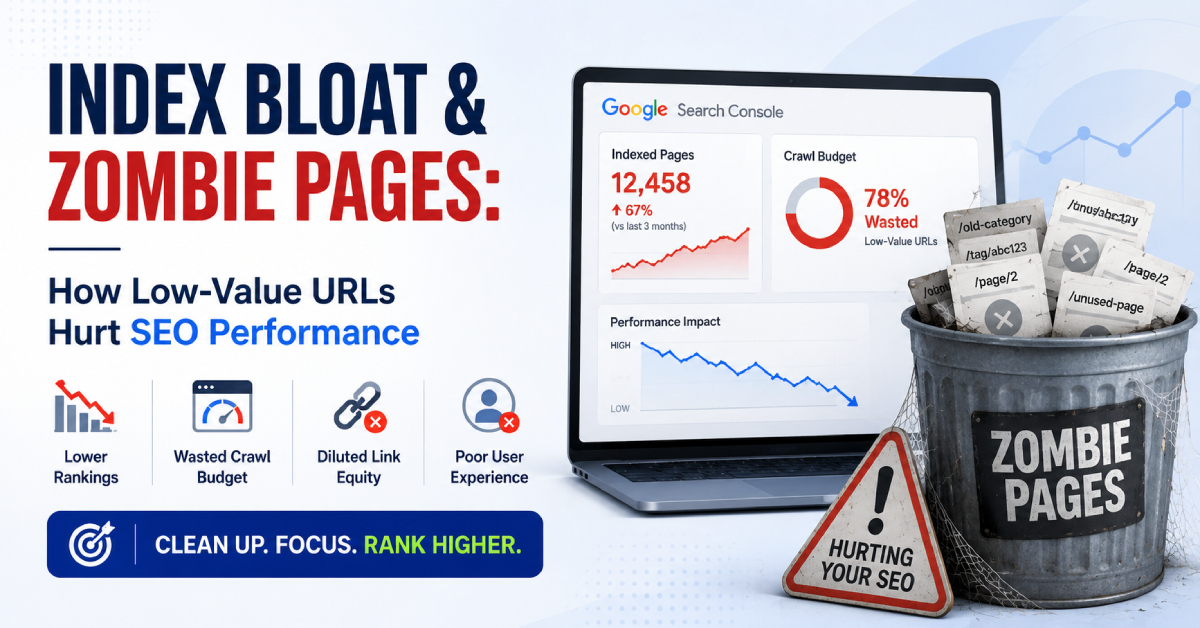
Index bloat and zombie pages rarely show up in SEO tools as a single red flag. They don’t trigger sudden penalties or sharp traffic drops. Instead, the damage builds slowly — affecting crawl behavior, ranking consistency, and sitewide trust signals that are easy to miss until growth stalls.
I’m Zohanuddin Shaikh, an SEO consultant based in Karachi, Pakistan, with 8 years of experience. Index bloat and zombie pages matter because they make it harder for search engines to understand a site at scale. When Google’s index fills with low-value URLs, thin content, or outdated pages that no longer match search intent, the problem isn’t just wasted crawl spending — it’s diluted relevance across your whole site.
In real audits, I’ve seen strong sites underperform because too many pages competed for attention without offering anything useful. Rankings became less stable, query relevance shifted, and new content indexed more slowly. Index bloat doesn’t hurt SEO immediately — it erodes it over time. This guide explains what index bloat and zombie pages are, how they damage SEO, and how to clean up your index safely.
What Is Index Bloat in SEO?
Index bloat is when a website allows more URLs into the search index than it strategically should — filling the index with pages that may be technically valid but aren’t necessary for the site’s goals.
It’s not simply “too many pages.” It’s about the quality of what’s indexed. Common sources of index bloat include:
- Auto-generated filter and parameter URLs
- Unintentionally paginated URLs
- Faceted navigation pages that add nothing new
- Thin content pages created at scale
- Discontinued product or category pages
- Outdated blog posts that no longer matter
The key distinction: index bloat isn’t about the number of pages—it’s about how many low-value pages dilute the quality of your index. A site with 10,000 genuinely useful pages isn’t bloated; a site with 500 pages where 300 serve no purpose is.
What Are Zombie Pages?
Zombie pages are URLs that are indexed but functionally dead — they exist in the search index but provide no real value.
A zombie page typically has:
- No organic search traffic
- No backlinks
- No updates
- No clear search intent
- No internal importance
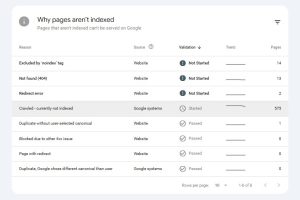
These pages often show up in Google Search Console as “indexed, though not submitted in sitemap.” “Crawled—currently not indexed” or—worse—indexed but never ranking. Individually, zombie pages aren’t harmful. At scale, they absolutely are. When hundreds of zombie pages accumulate, they collectively weaken how search engines perceive your entire site.
How Index Bloat Hurts SEO Performance
Index bloat damages SEO in three distinct ways that compound over time.
Crawl Budget Waste
Crawl behavior tells the story before rankings do, especially on large sites. In audits, I repeatedly see Googlebot spending most of its crawl time on low-value URLs, important pages getting crawled less often, and new content taking days or weeks to be discovered. It’s not about hitting a crawl limit—it’s about priorities. When Google has too many options, it doesn’t always choose the best ones. For more, see my crawl budget guide.
Index Dilution Weakens Relevance
When hundreds or thousands of pages cover the same or similar topics without clear differentiation, semantic signals fragment. Pages start ranking for broader, less specific queries, topical authority becomes blurry, and Google struggles to identify “the best page” on your site. This is where ranking suppression often begins — not from bad content, but from too much mediocre content.
Sitewide Trust Signals Erode
Search engines evaluate sites holistically. A higher proportion of low-value pages can change how your fresh content is treated. I’ve seen cases where high-quality new pages ranked slower than expected, previously stable URLs began fluctuating, and impressions rose while CTR fell. Tracing back, the pattern usually connects to index quality.
Where Index Bloat Commonly Comes From
Understanding the sources of index bloat helps you prevent it.
Source |
Common Problem |
Most At Risk |
|
Faceted navigation / filters |
Indexing all filter and sort combinations | E-commerce, marketplaces |
|
Auto-generated / programmatic pages |
Thin, templated pages at scale |
Programmatic SEO sites |
| Content decay | Outdated posts for dead keywords |
Content-heavy blogs |
| Orphaned URLs | Live but unlinked pages |
All site types |
Faceted Navigation and Filter URLs
E-commerce sites and marketplaces are especially at risk. Common mistakes include letting all filter combinations be indexed, indexing sort parameters, and forgetting canonical rules at scale. These pages often look helpful but rarely serve a distinct search intent.
Auto-Generated and Programmatic Pages
Programmatic SEO can be powerful, but it generates zombie pages quickly without strict limits. Common issues include pages built for keywords nobody searches, near-identical templates, and minimal unique content per URL. The pages exist, Google indexes them, but users never visit.
Content Decay Over Time
Old blog posts don’t automatically improve with age. In audits, I often find posts written for keywords that are no longer popular, articles answering questions people no longer ask, and content with no views in years. Leaving them indexed signals that the site doesn’t prune. This connects to my content lifecycle management guide.
Orphaned URLs
Pages that are technically live but not linked internally often get indexed anyway. They receive no authority flow, no crawl priority, and no contextual relevance. They don’t die naturally — they linger.
What Commonly Goes Wrong in Index Cleanup
Cleaning up index bloat is valuable, but it’s easy to make mistakes that cause more harm than good.
Mistake |
What Goes Wrong |
|
Blind mass noindexing |
Removes useful pages, weakens internal links, causes volatility |
| Confusing crawl vs index issues |
Fixing crawl numbers while worsening index quality |
| Treating Search Console data in isolation |
Missing intent mismatch and semantic overlap |
Blind Mass Noindexing
A common mistake is over-applying noindex without understanding each page’s role. The result: useful pages removed from the index, weakened internal linking structures, and increased ranking volatility. Index cleanup doesn’t mean “delete everything with no traffic.”
Confusing Crawl Issues With Index Issues
A page can be crawled but shouldn’t be indexed. Another should be indexed but crawled less frequently. I’ve seen teams fix crawl numbers while actually worsening index quality. The two are connected but distinct problems.
Treating Search Console Data in Isolation
Search Console matters, but it doesn’t reveal intent mismatch, semantic overlap, or declining content usefulness. You need logs, analytics, and SERP context together to diagnose index bloat accurately.
A Practical Diagnostic Framework for Index Bloat
When auditing index bloat, I don’t start with tools — I start with questions.
Step 1: Classify Pages by Purpose
Every indexed URL should answer three questions: Who is this for? What query does it serve? Why should it exist separately? If you can’t answer quickly, that’s a red flag.
Step 2: Check Performance Signals Together
Look at organic impressions, crawl frequency, internal links, and engagement metrics together. A page with no traffic but high internal importance might still matter. A page with neither probably doesn’t.
Step 3: Decide the Right Action
Most pages fit one of these categories—and removal isn’t always the answer:
Action |
When to Use It |
|
Improve and strengthen |
Page has potential but is currently weak |
|
Consolidate |
The page overlaps with a stronger URL |
| Noindex |
The page must exist but shouldn’t be indexed |
| Redirect |
The page should send users elsewhere |
| Remove entirely |
The page serves no purpose at all |
There’s no one-size-fits-all rule. Each page needs a contextual decision.
Step 4: Monitor Post-Cleanup Behavior
Index cleanup should lead to faster crawl discovery, more stable rankings, and clearer topical signals. If volatility increases long-term, something has gone wrong and needs review.
Trade-Offs and Edge Cases You Can’t Ignore
Index cleanup isn’t always straightforward. Two important exceptions deserve caution.
Some zombie pages still matter indirectly. A page might have no search traffic and no rankings, but significant internal linking value. Deleting it carelessly could damage your site structure. Always check internal importance before removing a page.
Large sites require restraint. On enterprise sites, index cleanup is iterative. I’ve seen better results from monthly pruning cycles, controlled noindex tests, and gradual consolidation. Aggressive pruning often causes unnecessary shocks. The bigger the site, the more measured the cleanup should be—sudden large-scale changes can destabilize rankings before they improve.
How to Prevent Index Bloat Long-Term
Preventing index bloat is easier than fixing it. Sustainable practices include:
- Setting clear indexing rules before publishing
- Controlling URL generation (limit filters, parameters, tags)
- Auditing content regularly for decay
- Maintaining strong internal linking to important pages
- Using canonicalization to consolidate duplicates
The core principle: decide what should be indexed before pages get created, rather than cleaning up afterward. For the canonical side of this, see my canonicalization SEO guide. Prevention keeps your index clean as the site scales, avoiding the expensive cleanup that unmanaged sites eventually face.
Long-Term SEO Benefits of Index Quality
When index bloat is kept in check, the benefits are subtle but powerful:
Benefit |
What It Means |
|
Faster indexing |
New content gets discovered quicker |
|
Stable rankings |
Less fluctuation over time |
| Aligned crawl behavior |
Crawlers focus on important pages |
| Clear topical authority |
Search engines identify your best pages |
| Growing trust |
Site quality signals strengthen over time |
Search engines no longer reward volume — they reward clarity. A lean, high-quality index consistently outperforms a bloated one, even when the bloated site has far more pages.
FAQs
1. What are zombie pages in SEO?
Zombie pages are URLs that are indexed but provide no real value—they get no organic traffic, have no clear search intent, have no backlinks, and contribute nothing to SEO. They exist in Google’s index but are functionally dead. Individually harmless, they weaken sitewide signals when they accumulate at scale.
2. What is index bloat?
Index bloat is when a website has more URLs in the search index than it strategically should, filling the index with low-value, thin, or redundant pages. It’s not about the total number of pages — it’s about how many indexed pages lack a clear purpose, which dilutes relevance and wastes crawl resources across the site.
3. Does index bloat hurt rankings?
Yes, but not directly. Index bloat dilutes relevance signals, wastes crawl resources, and can suppress rankings sitewide over time. When too many mediocre pages compete for attention, search engines struggle to identify your best content, and topical authority becomes blurry—which gradually weakens rankings even for strong pages.
4. Should I noindex or delete zombie pages?
It depends on context. Some zombie pages should be improved or consolidated with stronger pages, some should be noindexed (if they must exist but shouldn’t rank), and some should be removed or redirected. Before acting, check whether the page has internal linking value — deleting it carelessly could harm site structure.
5. How do I identify index bloat?
No single metric reveals index bloat. Use Google Search Console coverage reports, log files, analytics data, and internal linking analysis together. Look for indexed pages with no traffic, no clear intent, and no internal importance. The key diagnostic question for each page: who is this for, and what query does it serve?
6. Is index bloat worse for large websites?
Yes. Large sites accumulate low-value URLs faster — through faceted navigation, programmatic pages, and content scale — so crawl prioritization matters much more. On big sites, index bloat can severely slow crawling and indexing. Cleanup should be iterative and measured, since aggressive pruning can destabilize rankings before improving them.
7. What’s the difference between crawl issues and index issues?
Crawl issues concern whether and how often search engines visit a page. Index issues concern whether a page should be in the index at all. A page can be crawled but not deserve indexing or deserve indexing but be crawled infrequently. They’re connected but distinct—fixing one doesn’t automatically fix the other.
8. How often should I audit for index bloat?
For active sites, audit index quality quarterly, with deeper reviews after major content additions, site migrations, or template changes. Large or fast-growing sites benefit from monthly pruning cycles. Regular auditing prevents bloat from accumulating unnoticed — it’s far easier to maintain a clean index than to clean up a heavily bloated one.
Final Thoughts
Index bloat & zombie pages are silent problems. They grow slowly as teams publish more content, create categories, launch new templates, or scale automated pages with good intentions. Everything looks productive — growing URLs, sitemaps, and dashboards all signal activity. But underneath, search engines are being asked to process more content than deserves long-term attention.
Real SEO success doesn’t favor sites with the largest index footprint. It favors sites that aggressively protect index quality—carefully choosing what to index, consolidate, and quietly remove. These teams understand that every indexed page competes for crawl priority, relevance, and trust.
The obvious but overlooked lesson: not every indexed page boosts search visibility. Pages without clear purpose, engagement, or topical authority actively undermine the system.
Index bloat isn’t just an audit finding — it’s a strategic liability that affects rankings, crawl efficiency, and growth predictability. Managing it well demonstrates SEO maturity, restraint, and a long-term understanding of how search engines evaluate quality at scale.
For questions about diagnosing index bloat on your own site, feel free to reach out through my Contact page.
For more SEO guides, browse Search Engine Realm.
Last Updated: July 2026